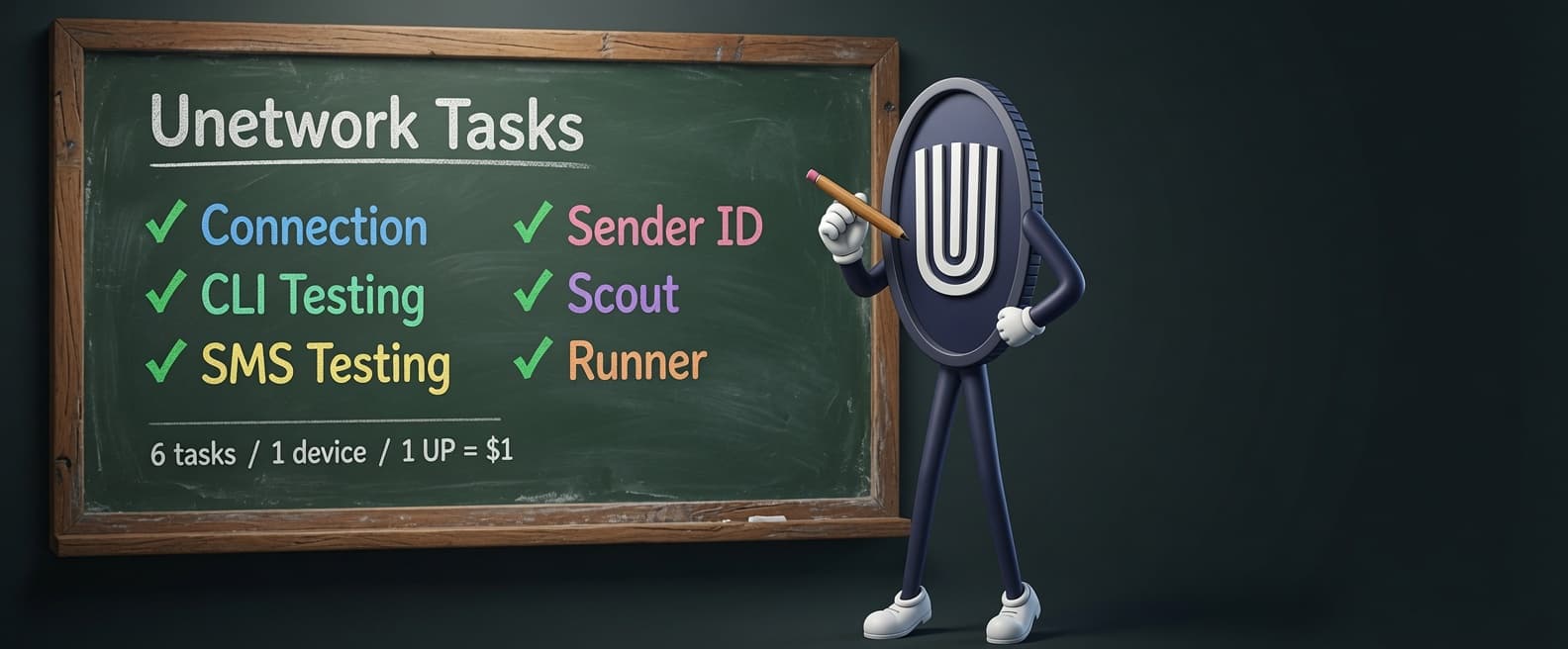
Every Unetwork Network Task Explained: What They Do, What They Earn, and How to Start
· 20 min read · Unetwork Guide
Unetwork licenses earn money by running network tasks on your smartphone. There are seven distinct task types, each serving a different purpose for telecom companies and decentralized infrastructure, and each paying differently based on the value of the data it produces. If you have been searching for "Unity Network tasks" or "Unity Node tasks," you are in the right place. Unity Network rebranded to Unetwork in early 2026, but the technology and the tasks are identical.
This guide is the complete reference for every task type available on the Unetwork network. It covers what each task does, what data it collects, what equipment you need, how much it pays, and why companies are willing to pay for it. All seven tasks can run concurrently on a single smartphone, and together they are projected to generate approximately $48 per month per license once all task types are fully active. The current real world average with only the baseline tasks running is approximately $7 per month.
Whether you already hold a license and want to understand what your phone is actually doing, or you are evaluating whether a Unetwork license is worth the investment, this is the page to bookmark.
What Are Unetwork Network Tasks?
Unetwork network tasks are automated jobs that your smartphone performs in the background to collect real world telecom data. Each task type targets a specific aspect of telecommunications infrastructure: signal quality, voice call integrity, message delivery, sender identity verification, and route validation. Telecom companies pay for this data because it helps them detect fraud, verify service quality, and optimize their networks.
The seven task types are Connection, CLI Testing, SMS Testing, Sender ID Testing, Scout, Runner, and Entropy. Some are entirely passive. Others require a SIM card to make or receive calls and messages. Scout and Runner involve real world movement and phone call verification. Entropy, the newest task type, contributes real world randomness from distributed devices to power cryptographic and decentralized systems.
| Task Type | What It Does | SIM Required | Status |
|---|---|---|---|
| Connection | Passive signal and network telemetry | No | Active |
| CLI Testing | Caller ID verification on test calls | Yes | Active |
| SMS Testing | Message delivery and content verification | Yes | Active |
| Sender ID Testing | Sender identity manipulation detection | Yes | Active |
| Scout | Telecom route research and call plan submission | Yes | Public Beta |
| Runner | Route validation through live phone calls | Yes | Public Beta |
| Entropy | Decentralized randomness generation | No | Announced |
Every task runs automatically once enabled. You do not need to manually trigger any task. The Unetwork app handles scheduling, execution, and data reporting in the background. Your only job is to keep the phone charged, connected, and running.

How Does the Connection Task Work?
The Connection task is a passive telemetry collector that runs silently in the background and measures your phone's network performance. It records signal strength, latency, connection type (4G, 5G, Wi-Fi), carrier identification, and timing data at regular intervals throughout the day. No SIM card is required for this task, which makes it the most accessible entry point for new operators.
The data collected by Connection tasks gives telecom companies a real time picture of how their networks actually perform in different locations, at different times of day, and across different device types. This is fundamentally different from the controlled lab tests that carriers run internally. Lab tests measure ideal conditions. Unetwork Connection data measures reality: what actual users experience on actual devices in actual locations.
Connection tasks earn between 0.20 and 0.40 UPs per day, which translates to approximately $6 to $12 per month depending on your region and uptime consistency. This is the baseline earning layer that every operator receives regardless of whether they have a SIM card installed. Think of it as the foundation: modest on its own, but it runs 24/7 with zero effort and zero configuration.
The telemetry data is anonymized before transmission. Your personal information, browsing history, and app usage are not collected. The Connection task only measures network performance metrics: how strong the signal is, how fast the connection responds, and which carrier is providing service at that moment.
What Is CLI Testing and Why Does It Matter?
CLI Testing (Calling Line Identification) verifies that caller ID information transmits correctly across international phone networks. Your phone receives test calls from the Unetwork system, and the app checks whether the caller ID data that appears on your screen matches what was originally sent. This requires an active SIM card or eSIM in the device.
The reason telecom companies pay for this data is simple: caller ID spoofing and corruption are massive problems in international voice traffic. When a call routes through multiple carriers across different countries, each handoff point is an opportunity for caller ID data to get stripped, modified, or replaced entirely. This happens for several reasons.
First, there is intentional fraud. Criminal operations spoof caller IDs to impersonate banks, government agencies, and legitimate businesses. Second, there are routing errors where misconfigured switches accidentally strip or overwrite caller ID fields. Third, some carriers deliberately route calls through cheaper, lower quality paths that do not properly support caller ID passthrough. This practice, called grey route traffic, saves the routing carrier money but degrades service quality for everyone else.
CLI Testing catches all of these problems. Each test call creates a verified data point: the system sent call X with caller ID Y, and the receiving device reported caller ID Z. When Y and Z do not match, the telecom company knows exactly which route has a problem. This data is worth real money because it directly impacts fraud prevention and regulatory compliance.
CLI Testing earns between 0.2 and 2 UPs per completed task. The variation depends on the route being tested, the carrier involved, and the current demand for verification in your region. Higher value routes (international calls crossing multiple carriers) pay more than domestic test calls.
What Does SMS Testing Verify?
SMS Testing verifies that text messages are delivered accurately, completely, and on time. The Unetwork system sends test messages to your device, and the app reports back whether the message arrived, how long delivery took, whether the sender ID was correct, and whether the message content was intact. Like CLI Testing, this requires an active SIM card.
Accurate SMS delivery matters more than most people realize. Banks send one time passwords over SMS. Airlines send boarding passes. Healthcare providers send appointment confirmations. Government agencies send emergency alerts. When any of these messages fail to deliver, arrive late, or arrive with corrupted content, it causes real problems for real businesses and their customers.
SMS Testing specifically checks four things. First, delivery confirmation: did the message actually arrive at the destination device? Second, delivery timing: how many seconds elapsed between sending and receipt? Third, sender ID accuracy: does the sender name or number displayed on the receiving device match what was originally sent? Fourth, content integrity: is the message body identical to what was sent, or did something along the route modify it?
That last point might sound unusual, but content alteration during SMS transit is a real problem. Some intermediary networks inject advertisements into message bodies. Others shorten URLs without permission, which can break verification links. Some networks have character encoding bugs that corrupt special characters or emoji in transit. SMS Testing catches all of these issues and gives telecom operators the data they need to identify and fix problematic routes.
SMS Testing earnings follow a similar range to CLI Testing: 0.2 to 2 UPs per completed task. Availability varies by region and depends on which telecom partnerships are active in your country. Not all regions have SMS Testing tasks available yet.
What Is Sender ID Testing?
Sender ID Testing is the newest task type on the Unetwork network, launched in early 2026. It focuses specifically on detecting sender identity manipulation in both voice calls and text messages. While CLI Testing checks whether caller ID transmits correctly and SMS Testing checks overall message delivery, Sender ID Testing goes deeper into how intermediary networks handle the sender's identity information as it passes through the routing chain.
The problem Sender ID Testing solves is subtle but financially significant for telecom companies. When a business sends an SMS with their brand name as the sender (for example, "YourBank"), that sender ID should appear unchanged on the recipient's phone. In practice, intermediary networks sometimes replace the branded sender ID with a random phone number, modify it to a different brand name, or strip it entirely. This breaks brand recognition, triggers spam filters on the receiving end, and can cause legitimate messages to be blocked or ignored.
For voice calls, a similar problem exists. An enterprise that pays for a verified caller ID expects that ID to appear correctly on every call. When an intermediate carrier swaps the caller ID for a local number or an "Unknown" tag, it reduces answer rates and damages the caller's reputation.
Sender ID Testing requires a SIM card and works by receiving test messages and calls with known sender identities, then reporting exactly what appeared on the device. The difference between what was sent and what was received reveals where in the routing chain manipulation is happening. This data helps telecom companies enforce their routing agreements with partners and identify carriers that are not handling sender identity correctly.
Because Sender ID Testing is newer, it is still rolling out across regions. Earnings follow a per task model similar to CLI and SMS Testing. As more telecom partnerships come online, task availability and frequency will increase.
What Are Scout and Runner Tasks?
Scout and Runner is Unetwork's decentralized connectivity verification system, and it represents the largest earning opportunity on the network. Scouts research telecom routes in their country, find phone numbers and paths that need testing, and submit structured call plans. Runners then execute those plans by making real phone calls to verify the routes, with results confirmed through IVR (Interactive Voice Response) verification. The public beta launched globally in May 2025 and is available in every country.
Scout and Runner tasks are projected to push per license earnings from the current ~$7 per month baseline to approximately $48 per month. During the alpha test, 327 participants (211 Scouts and 116 Runners) generated approximately 9,000 test reports, and top route rates reached $0.28 per verified minute. These are the highest paying tasks on the network because the data they produce is the most commercially valuable.
These are the highest paying tasks on the network because the data they produce is the most commercially valuable: real world verification of live telecom routes that carriers pay premium rates for.
Because Scout and Runner is a deep topic with its own onboarding process (ScoutQuest), role differences, and earning mechanics, we have a dedicated guide that covers everything in detail.
Scout and Runner Deep Dive
Learn how to join the beta, the difference between Scout and Runner roles, how ScoutQuest works, alpha test results, and projected earnings.
Read the Full Scout and Runner GuideWhat Is the Entropy Task?
Entropy is the newest task type announced for the Unetwork network. Unlike the telecom verification tasks above, Entropy serves a fundamentally different purpose: generating true randomness for cryptographic security, blockchain validation, VRFs (Verifiable Random Functions), fair gaming systems, fintech, and decentralized infrastructure. It was announced in May 2026 and is currently in preparation within the Unetwork app.
Modern digital systems rely on true randomness to remain secure, fair, and resistant to manipulation. Most software generates pseudorandom numbers, outputs that only appear random because they follow mathematical formulas. True entropy requires unpredictable real world input, which is exactly what a distributed network of smartphones can provide. High assurance systems demand bias resistance, auditability, provenance, and independent entropy sources, and that is what the Entropy task is designed to deliver.
A single device can generate randomness. But a distributed mesh like Unetwork can generate stronger, harder to predict entropy because it draws from many devices, many locations, and many independent inputs. That removes single points of failure and makes manipulation significantly more difficult. More decentralization means stronger trust assumptions.
In practice, your phone contributes tiny entropy samples in the background. Unetwork validates, combines, and filters those inputs to create stronger decentralized randomness. The process is designed to be transparent, auditable, and cryptographically provable. Valid contributions earn rewards. Bad actors, fake devices, and manipulated inputs get filtered out by the system.
This matters beyond blockchain. Regulated industries like gaming, fintech, cybersecurity, defense, and compliance need proof that randomness was not manipulated, was not controlled by one party, can be independently verified, and leaves an auditable trail. VRFs are already critical infrastructure in modern blockchain systems, allowing networks to prove randomness mathematically. Unetwork adds another layer by supplying real world entropy inputs from distributed sources, which also strengthens post quantum security as the industry moves toward post quantum cryptography.
The Entropy task does not require a SIM card, similar to the Connection task. Because it generates randomness from device sensor data rather than telecom functions, it is accessible to every operator regardless of whether they have a mobile plan. Specific earning rates and availability details will be announced as the task moves from preparation to public launch.
How Do All Seven Tasks Run Together?
All seven task types are designed to run concurrently on a single device with no conflicts. There is no limit to how many task types you can enable simultaneously, and enabling more tasks does not reduce the frequency or earnings of any other task. Each task operates independently, using different device resources at different times.
In practice, this means a single smartphone with a SIM card can run Connection telemetry in the background while receiving CLI test calls, processing SMS verification messages, checking Sender ID integrity, participating in Scout or Runner route validation, and contributing entropy samples. The tasks do not compete with each other for bandwidth or processing time in any meaningful way.
The only practical consideration is battery life. More active tasks mean slightly higher battery consumption, though the impact is modest because most tasks are event driven rather than continuously active. Connection and Entropy tasks run passively in the background. CLI and SMS tests only trigger when the network sends a test to your device. Scout and Runner tasks run during specific windows. The recommended setup is to keep the phone plugged in at home with Wi-Fi and a SIM card installed, which covers all passive tasks. For Scout and Runner, you take the phone with you when you are out and about.
This concurrency model is one of the reasons Unetwork can project $48 per month per license. That figure is not based on any single task type earning $48. It is the combined output of all tasks running together on one device, each contributing its portion.
How Much Can You Earn from Unetwork Tasks?
Current real world earnings are approximately $7 per month per license with the baseline tasks active (Connection, CLI Testing, and SMS Testing where available). Projected earnings with all seven task types fully active, including Scout, Runner, and Entropy, are approximately $48 per month per license. The $48 figure is a projection based on alpha test data and partner commitments, not a guarantee.
| Task Type | Earning Range | Notes |
|---|---|---|
| Connection | 0.20 to 0.40 UPs/day | ~$6 to $12/month, passive baseline |
| CLI Testing | 0.2 to 2 UPs/task | Varies by route and region |
| SMS Testing | 0.2 to 2 UPs/task | Limited availability by region |
| Sender ID Testing | Per task (similar to CLI/SMS) | Newest task, still expanding |
| Scout | UPs per accepted call plan | Research and route submission |
| Runner | Up to $0.28/verified minute | Top alpha rate, varies by route |
| Entropy | TBA | Announced, not yet live |
All earnings are paid in UPs (Unetwork Points), which are pegged 1:1 to the US dollar. When you earn 7 UPs, that is $7 you can withdraw. Withdrawals are converted to cryptocurrency on your chosen chain (Ethereum, BSC, Solana, XRP, or Cardano). The minimum withdrawal is $5 and the maximum per transaction is $150.
It is important to understand that the $7 and $48 figures are gross license earnings before the revenue split between node owner and operator. If you are operating a license on a 50/50 split, your take home from $7 gross is $3.50. On a 40/60 split, it is $4.20. On a 30/70 split, it is $4.90. The split is set by the node owner when they generate the lease code.
| Revenue Split (UNO/ULO) | Operator Share at $7/mo | Operator Share at $48/mo (projected) |
|---|---|---|
| 50/50 | $3.50 | $24.00 |
| 40/60 | $4.20 | $28.80 |
| 30/70 | $4.90 | $33.60 |
For a deeper breakdown of how splits work, how they affect your monthly income, and which split to choose, see our Unetwork License Splits Explained guide.
What Do You Need to Start Running Tasks?
You need three things: a smartphone, a Unetwork license (activated via a lease code), and the Unetwork app installed. A SIM card or eSIM is required for all tasks except Connection and Entropy. Here is the full requirements breakdown by task type.
| Requirement | Connection | CLI Testing | SMS Testing | Sender ID | Scout | Runner | Entropy |
|---|---|---|---|---|---|---|---|
| Smartphone | Yes | Yes | Yes | Yes | Yes | Yes | Yes |
| Unetwork App | Yes | Yes | Yes | Yes | Yes | Yes | Yes |
| Active License | Yes | Yes | Yes | Yes | Yes | Yes | Yes |
| SIM / eSIM | No | Yes | Yes | Yes | Yes | Yes | No |
| Phone Permissions | Location | Phone, Location | SMS, Location | Phone, SMS, Location | Phone, Location | Phone, Location | TBA |
The Unetwork app is available on both the Apple App Store and Google Play Store. Any Android or iOS smartphone manufactured in the last five years should work. Budget devices are fine because the tasks are not computationally intensive. Many operators use dedicated $50 to $100 Android phones specifically for Unetwork.
The SIM card can be any prepaid SIM with an active mobile plan. It does not need to be expensive. A basic plan with voice and SMS capability is sufficient. The phone does not need unlimited data because the data volumes generated by Unetwork tasks are minimal (typically under 100 MB per month).
To get a license, you need a lease code from a node owner. Node owners purchase bundles of 200 licenses and distribute them to operators via lease codes. Each code comes with a preset revenue split (50/50, 40/60, or 30/70) that determines how earnings are divided between the owner and operator. You can browse available lease codes in the Unetwork License directory.
Why Do Telecom Companies Pay for This Data?
Telecom companies pay for Unetwork task data because it solves a problem they cannot solve internally at the same scale or cost. Traditional telecom testing relies on small numbers of test devices in controlled environments. Unetwork provides thousands of real devices in real locations across dozens of countries, generating continuous test data that reflects actual end user experience.
The specific problems this data solves are worth billions of dollars to the global telecom industry. Caller ID fraud costs carriers an estimated $40 billion per year. SMS routing errors cause message delivery failures that affect banking, healthcare, and emergency services. Grey route traffic (calls routed through unauthorized, cheaper paths) bleeds revenue from legitimate carriers and degrades call quality.
Before Unetwork, telecom companies would hire specialized testing firms that charged premium rates to verify routes and detect fraud. These firms typically had a few hundred test lines in major markets. Unetwork replaces that model with a distributed workforce of thousands of operators running continuous tests in markets that traditional testing firms do not cover at all. The per test cost is lower, the coverage is wider, and the data is more representative of real world conditions.
This is the fundamental business model behind every Unetwork task. Connection data shows carriers how their networks actually perform. CLI data catches caller ID fraud and routing errors. SMS data verifies message delivery quality. Sender ID data exposes identity manipulation. Scout and Runner data validates telecom routes that carriers need verified before they can sell access to enterprise customers. Entropy data provides verifiable randomness for cryptographic, blockchain, and compliance applications. Each data type maps to a real revenue stream, which is why partners are willing to pay operators to generate it.
This is also why projected earnings are expected to grow. As more telecom partnerships come online and more route verification demand enters the system, the number of available tasks per license increases. Scout and Runner represents the biggest growth lever because connectivity verification is a high margin service that telecoms currently pay top dollar for through traditional channels.
Frequently Asked Questions
How many task types does Unetwork have?
Unetwork has seven task types: Connection, CLI Testing, SMS Testing, Sender ID Testing, Scout, Runner, and Entropy. All seven can run simultaneously on a single device. Entropy is the newest task and has been announced but is not yet live.
Can I choose which tasks to run?
Yes. You can enable or disable individual task types in the Unetwork app. However, running all available tasks maximizes your earnings since each task type earns independently and does not reduce the earnings of other tasks.
Do I need a SIM card for all tasks?
No. The Connection and Entropy tasks run without a SIM card. Connection only needs Wi-Fi or mobile data to report telemetry, and Entropy generates randomness from device sensor data. CLI Testing, SMS Testing, Sender ID Testing, Scout, and Runner all require an active SIM card or eSIM.
How much do Unetwork tasks earn per month?
Current earnings are approximately $7 per month per license with baseline tasks active. Projected earnings with all seven task types (including Scout, Runner, and Entropy) are approximately $48 per month. The projection is based on alpha test data and is not guaranteed.
Do tasks run in the background automatically?
Yes. Once you enable tasks and grant the required permissions, the Unetwork app handles everything automatically. Connection telemetry runs on a schedule. CLI and SMS tests trigger when the network sends work to your device. You do not need to manually start any task.
Can I run tasks on multiple phones with one license?
No. Each license is tied to one device. To run tasks on multiple phones, you need a separate license (and lease code) for each device.
What is the difference between CLI Testing and Sender ID Testing?
CLI Testing checks whether caller ID information transmits correctly during test calls. Sender ID Testing specifically targets identity manipulation, where intermediary networks change the displayed sender name or number on calls and messages. Sender ID Testing is a more specialized check focused on how routing networks handle brand identity.
What is the Entropy task and when does it launch?
Entropy is a new task type that generates true randomness from distributed devices for use in cryptographic security, blockchain validation, VRFs, fair gaming, and compliance systems. It was announced in May 2026 and the Unetwork app already includes preparation for it. Like the Connection task, it does not require a SIM card. Specific launch dates and earning rates have not been announced yet.
Are Unetwork tasks the same as Unity Network tasks?
Yes. Unity Network rebranded to Unetwork in early 2026. The task types, earning model, and technology are identical. If you see older content referencing Unity tasks, Connection tasks, or CLI/SMS tasks under the Unity name, it is the same system now called Unetwork.
What happens if my phone loses internet connection?
Tasks pause when the device is offline and resume automatically when connectivity is restored. You do not lose your license or any accumulated earnings. However, extended downtime reduces your monthly earning potential because you miss tasks that would have been assigned during that period.
Is my personal data collected during tasks?
No. Unetwork tasks collect network performance data and telecom verification results only. Your personal information, browsing history, contacts, photos, and app usage are not accessed or transmitted. The data collected is limited to signal metrics, call test results, and message delivery verification.
Sources
- Unetwork App (iOS and Android) task interface and documentation
- Unetwork Scout and Runner alpha test results (327 participants, 9,000+ test reports)
- Unetwork operator earnings data collected through mid 2026
- World Mobile / Unetwork partnership announcements and developer documentation